
Losing access to a primary Google account has become the modern equivalent of losing one’s identity. For the average user, that single sign-in is the key to a vast, interconnected digital ecosystem. It governs access to Android device settings, sensitive correspondence in Gmail, critical documentation in Google Drive, and the deeply personal archives stored in Google Photos and Keep. Beyond these, it serves as the master key to browsing history in Chrome and the granular location data tracked by Google Maps.
Given the staggering amount of information tied to a single set of credentials, account recovery is not just a convenience—it is a necessity. Recognizing this, Google has quietly rolled out a new security feature: a "selfie for sign-in" mechanism. While it may sound like a futuristic novelty, it is, in reality, a sophisticated, last-resort safety net designed to ensure that users are never permanently locked out of their digital lives.
The Evolution of Account Recovery
For years, Google has encouraged users to adopt robust security hygiene, including the use of unique, complex passwords, multi-factor authentication (MFA), and the newer, more resilient passkey standard. However, even the most diligent users occasionally find themselves in a "nightmare scenario" where traditional recovery methods fail—perhaps due to a lost physical security key, a deactivated phone number, or a forgotten secondary email address.
The "selfie for sign-in" feature, which has surfaced under various monikers like "video verification" or "selfie video" across different internal documents, serves as a high-tech fail-safe. It is not intended to replace your password or your passkey; rather, it provides a biometric lifeline for when those primary methods are rendered inaccessible.

The Mechanism: How It Works
The concept is straightforward: users record a short video of themselves, which Google stores as a reference for identity verification. In the event of a future lockout, the user can record a new, live video. Google’s algorithms then compare the two to determine if the person requesting access is the actual account owner.
A Simple Setup Process
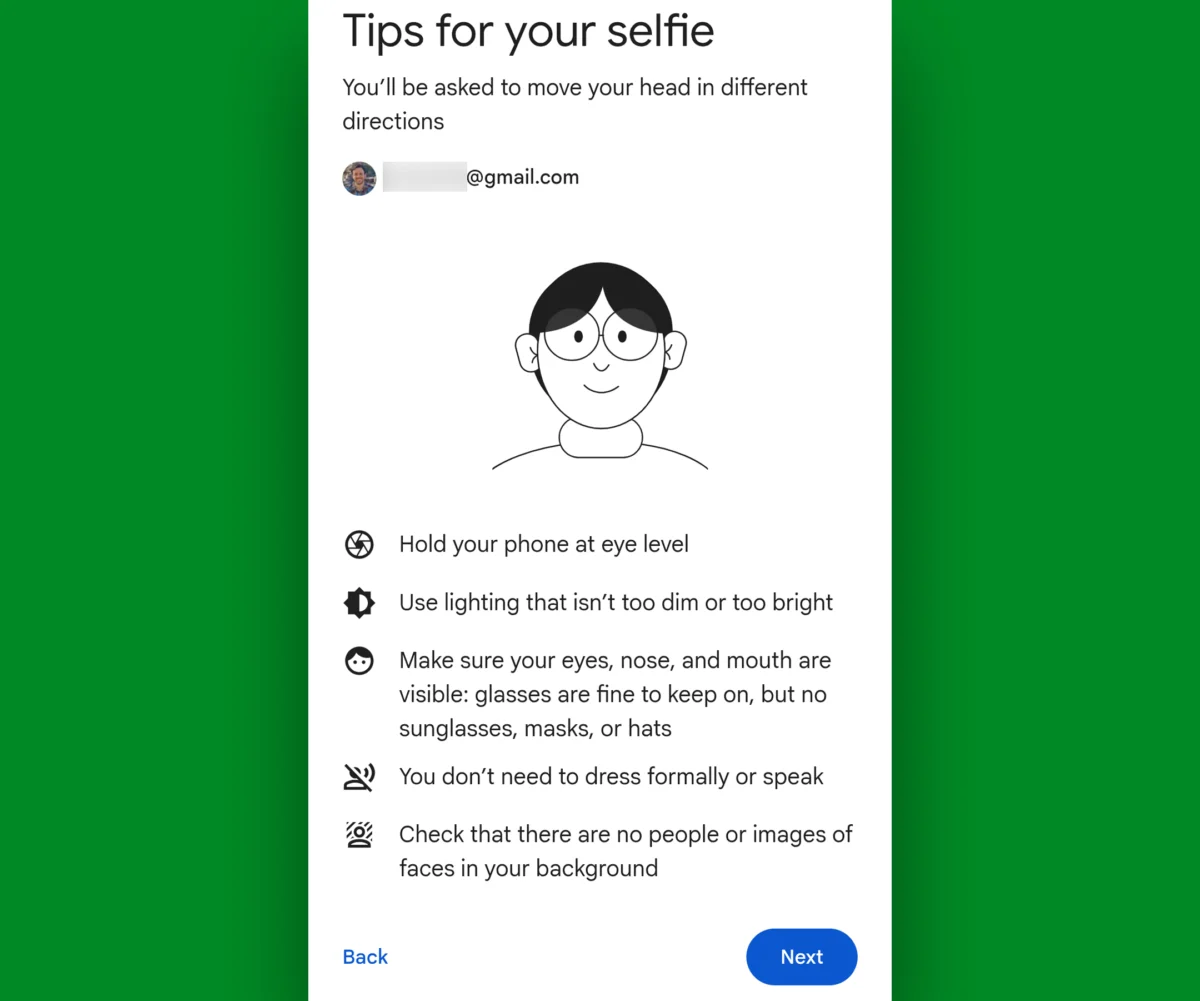
Despite the complexity of the underlying facial recognition technology, the user experience is designed for simplicity. Users can navigate to the Google account video verification page on any device equipped with a camera. The process involves:
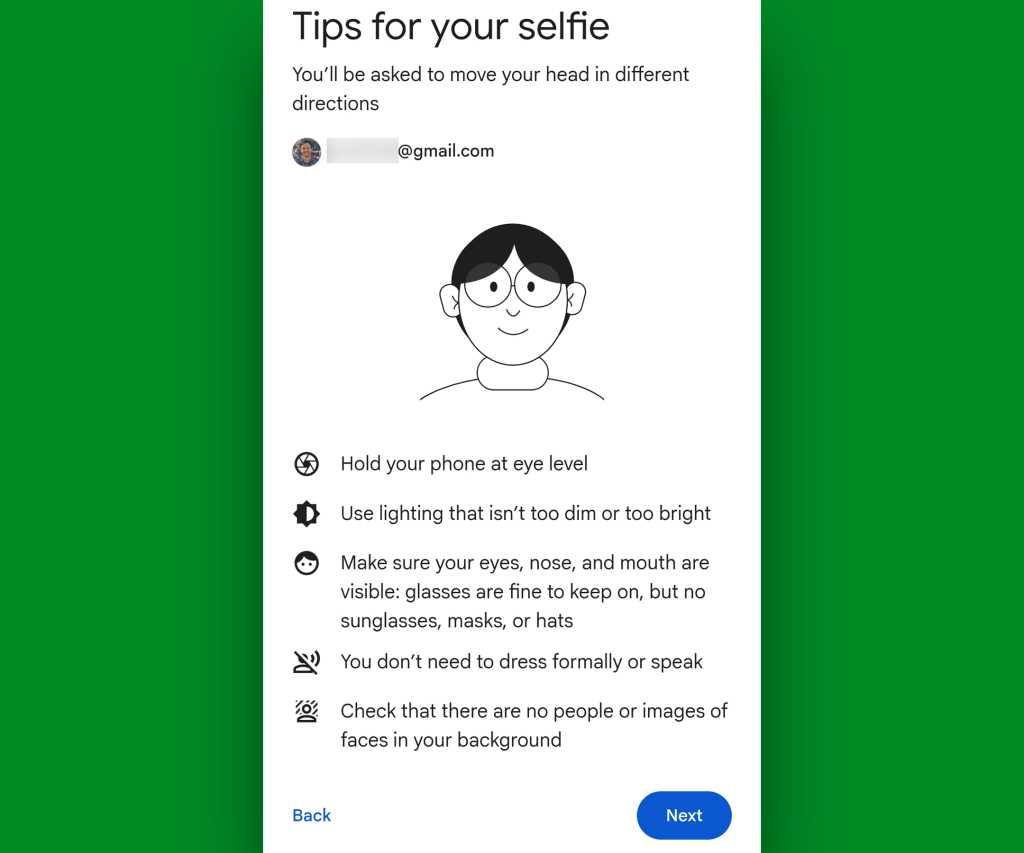
- Initial Enrollment: The user follows on-screen prompts to turn their head in specific directions, allowing the system to capture a 3D-like representation of their facial features.
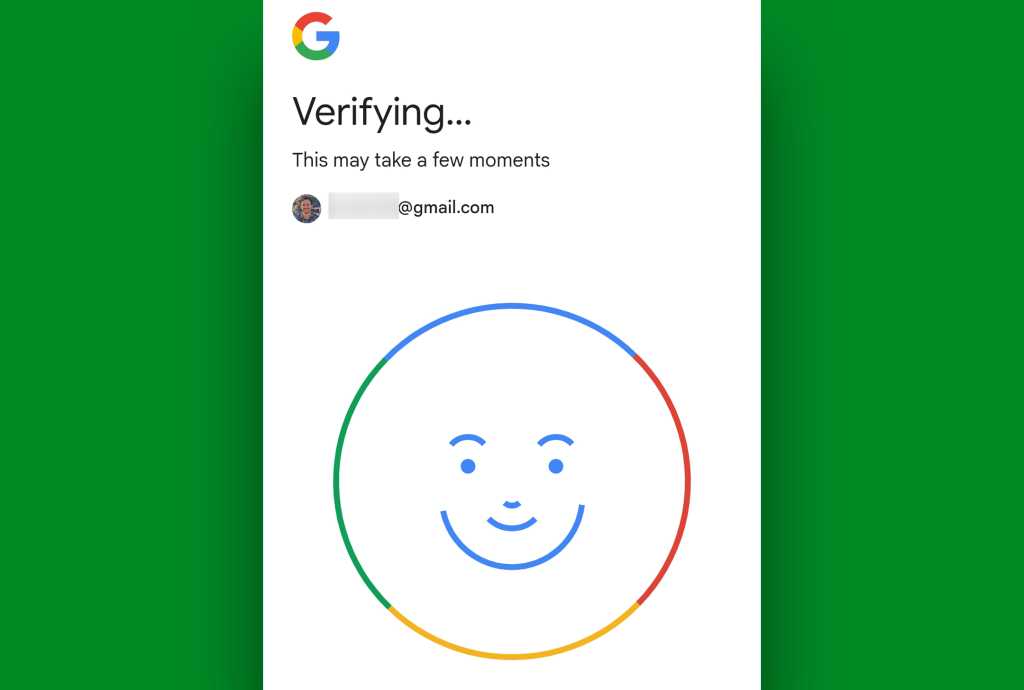
- Processing: The system takes several seconds to encrypt and securely store this "runway" of images.
- Verification: In an emergency, the user submits a similar video, and the system matches the live movements against the encrypted reference.
Critical Distinctions
It is essential to clarify what this feature is not. It does not act as a biometric unlock for your smartphone or tablet. Unlike FaceID on an iPhone or the face-unlock feature on many Android devices—which unlock hardware—this feature is exclusively tied to your Google account identity. It is a cloud-based verification tool, not a device-level security layer.
Security, Privacy, and Data Stewardship
One of the primary concerns regarding biometric data is the risk of unauthorized access or misuse. Google has addressed these concerns with several layers of technical and policy-driven safeguards.
Encryption at Rest and in Transit
Google maintains that the data from the saved selfie video is encrypted both while in transit and while at rest. This means that even in the unlikely event of a server breach, the raw biometric data is not stored in a plain-text format that could be easily exploited.
The "Model Training" Opt-Out
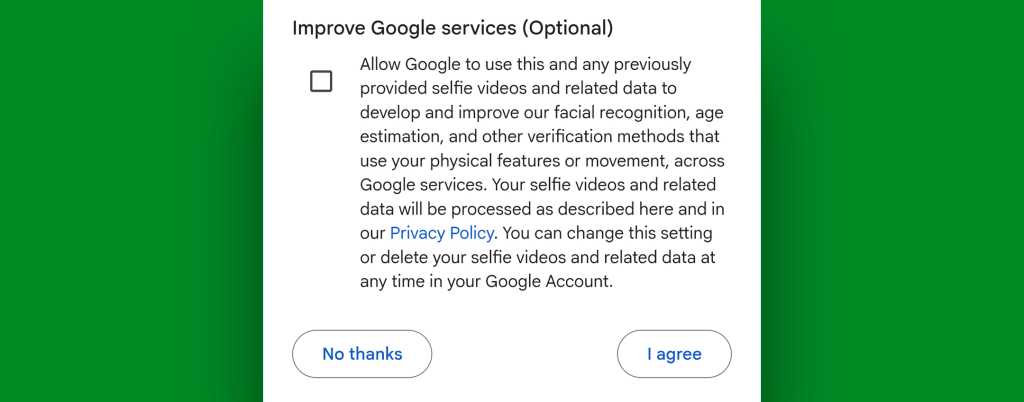
Perhaps the most significant aspect of the rollout is the level of user agency provided regarding machine learning. Google often uses submitted data to improve its facial recognition models; however, it has provided a clear, transparent opt-out mechanism.
During the setup process, users are presented with a checkbox labeled "Improve Google services." By leaving this box unchecked, a user ensures that their selfie data is used strictly for its intended purpose—identity verification—and never to train Google’s AI models. For those who have already enabled the feature but wish to change their preferences, these settings remain accessible through the same account management portal, allowing for real-time adjustments to data privacy settings.
Implications for Users and Organizations
While the introduction of this feature is a significant win for individual security, it does not apply to every type of account.
The Limitations of Scope
Currently, selfie sign-in is restricted to individual Google accounts. It is not available for accounts managed under Google Workspace (enterprise or organizational accounts). The rationale behind this is practical: professional accounts typically fall under the purview of an IT administrator who can facilitate account recovery through internal protocols. For the individual, however, there is often no central authority to assist, making this new tool a vital addition for the private user.
Advanced Protection and Exclusions
Furthermore, the feature is incompatible with Google’s "Advanced Protection Program." This program is designed for high-risk individuals—such as journalists, activists, and public figures—who are subject to targeted, sophisticated cyber-attacks. Advanced Protection enforces strict security requirements, such as mandatory physical security keys, which are fundamentally incompatible with the lower-friction path of selfie verification.
A Balanced View on Implementation
The introduction of this tool reflects a broader trend in cybersecurity: the move away from "knowledge-based" authentication (things you know, like passwords) toward "inherence-based" authentication (things you are, like biometrics).
Chronology of the Rollout
While the feature was announced in a technical blog post by Google’s safety and security team in recent weeks, its deployment has been gradual. Many users are currently discovering it by accident while exploring their Google account dashboard. This "silent" rollout underscores Google’s cautious approach to implementing biometric features that could potentially be controversial.
Supporting Data and Expert Analysis
Industry experts generally view this as a net positive for account recovery. In cases where users are locked out of their accounts, the "cost" of losing that access often outweighs the potential privacy concerns of submitting a video. By offering this as a secondary, last-resort option, Google is reducing the frequency of "unrecoverable account" scenarios, which currently lead to significant data loss for thousands of users annually.
Conclusion: A Proactive Step
The "selfie for sign-in" feature is a testament to the fact that, in the digital age, security must be balanced with usability. While the idea of a "selfie password" might feel unconventional, it provides a tangible, human-centric solution to the abstract problem of digital identity loss.
For the average user, the advice is clear: take the two minutes required to set this up. It is a classic "set it and forget it" security measure. Much like a spare key hidden in a secure location, you hope you never have to use it. But in the modern, data-dense landscape of the 21st century, knowing that a reliable path exists to regain access to your digital life provides a level of peace of mind that is worth the effort.
By navigating to your account settings and configuring this feature—and by being mindful of your opt-out choices regarding data training—you are effectively fortifying your digital presence against the inevitable, if rare, risk of losing access to the accounts that define your online existence.