As enterprise hardware costs continue to climb—with PC prices projected to remain elevated through the end of 2027—the traditional model of purchasing, maintaining, and refreshing physical laptop fleets is under intense scrutiny. Amid this financial pressure, Microsoft is aggressively positioning Windows 365, its cloud-based operating system, as the definitive solution for organizations looking to break the cycle of expensive hardware refreshes.
By shifting the primary computing experience from a local hard drive to a virtualized instance in the Microsoft Cloud, the company aims to turn every piece of hardware—from high-end workstations to aging tablets—into a gateway for a full-featured Windows 11 desktop.
The Core Proposition: Computing as a Service
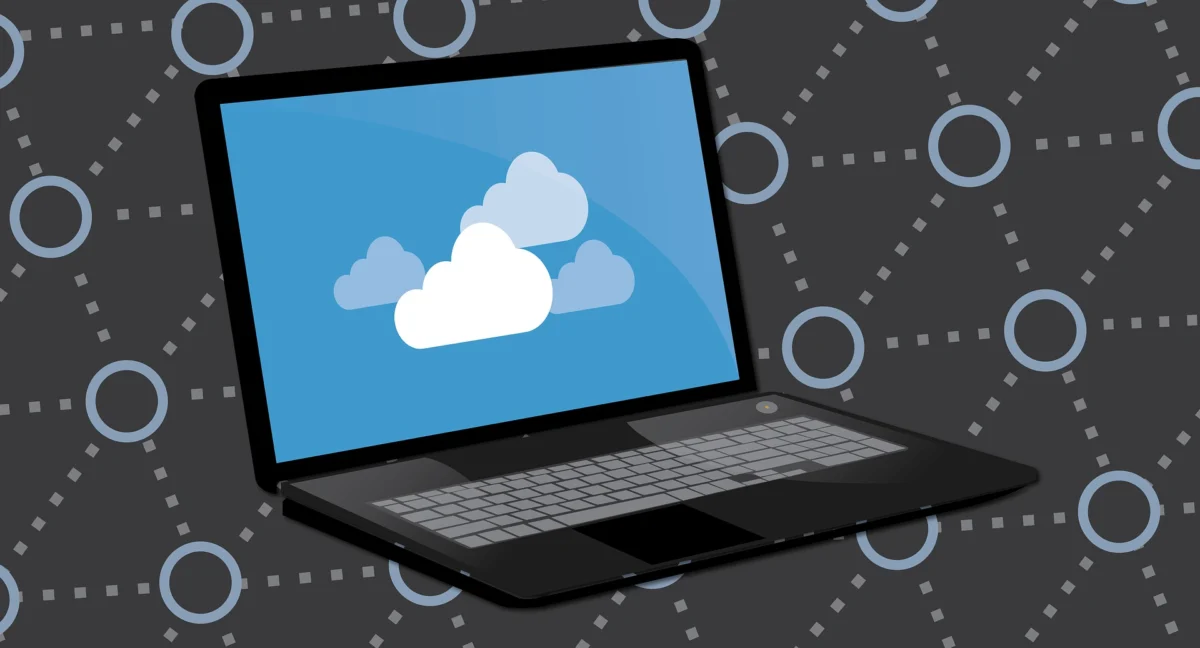
At the heart of the Microsoft strategy is the concept of the "Cloud PC." This allows users to access a personalized, secure, and persistent Windows desktop via an app on virtually any device. Whether an employee is using a low-end laptop, a Mac, or a tablet, the actual processing, storage, and application execution occur on Microsoft’s remote servers.
Pavan Davuluri, executive vice president of Windows and Devices at Microsoft, emphasized this during the company’s recent Ignite conference. "With PC prices going up, Windows 365 allows you to extend the life of your current PC fleet," Davuluri noted. "You can give compute to anyone in minutes, no new hardware. As you plan this PC refresh cycle, add cloud PCs to your estate."
The pitch is clear: by abstracting the operating system away from the underlying hardware, IT departments can move away from the four-to-five-year hardware upgrade treadmill. Instead of replacing laptops to meet the demands of new software, firms can simply provision more virtual CPU (vCPU) and RAM resources through a subscription tier.
A Historical Perspective: From "The Network is the Computer" to AI
While Windows 365 is currently being marketed as a modern innovation, the fundamental concept has deep roots in the history of computing. In the 1980s, Sun Microsystems famously coined the slogan, "The network is the computer," envisioning a future where powerful servers did the heavy lifting for remote, minimalist terminals.
The concept saw further iterations in the late 2000s with the rise of netbooks—small, low-power laptops designed for web-based work—and eventually, the widespread adoption of Chromebooks. However, these previous attempts often struggled with performance bottlenecks, lack of software compatibility, or limited internet infrastructure.
Microsoft believes the current iteration is different, primarily due to the transformative role of Artificial Intelligence. In the age of AI agents and resource-heavy local processing, the cloud offers an "elastic" alternative. Unlike a static physical PC, a Cloud PC can be dynamically scaled. An enterprise can allocate a modest configuration for basic productivity—such as 2 vCPUs and 4GB of RAM—and scale up to 32 vCPUs and 128GB of RAM for data-intensive AI development or high-end graphics work, all within minutes.
Chronology of the Windows 365 Evolution
To understand the current trajectory, one must look at how Microsoft has refined the service over the last five years:
- 2021: The Launch: Microsoft officially introduced Windows 365, marking a shift toward a hybrid personal computing model. It was designed to bridge the gap between traditional Virtual Desktop Infrastructure (VDI) and local OS usage.
- 2024–2025: Integration of AI: Microsoft began integrating AI agents into the cloud environment, positioning the Cloud PC as the "home base" for autonomous digital workers.
- Late 2026: Ignite Keynote and Technical Breakthroughs: At the most recent Ignite conference, Microsoft unveiled significant performance upgrades aimed at closing the "perceived" gap between local and cloud computing.
- 2027 and Beyond: The focus is now on widespread enterprise adoption, with the company betting that economic pressure on hardware procurement will drive mass migration to the cloud.
Performance and Technical Improvements
One of the primary historical criticisms of cloud-based desktops has been latency—the "lag" between a mouse click and the action on the screen. Microsoft has attempted to address this with its "DirectStream" technology.
Bhavya Chopra, partner director for Windows 365, reports that connection reliability has improved by 300% in recent updates. "Sessions connect in seconds now in the right conditions," Chopra said. "We have made a bunch of improvements to make sure that once you click that connect button on your Windows app, you’re in the desktop within 10 seconds."
Furthermore, the company has partnered with Nvidia to optimize the RTX Pro 6000 Blackwell Server Edition chips specifically for encoding the DirectStream output. This hardware-level optimization is designed to ensure that even graphics-intensive workloads feel fluid and responsive, minimizing the stuttering that plagued earlier remote desktop solutions.
The Economics: Subscription vs. CapEx
The financial implications for enterprises are complex. Microsoft offers a tiered pricing structure that accommodates various business sizes:
- Small Businesses: Plans range from $25 to $255 per user per month.
- Large Enterprises: Plans range from $28 to $765 per user per month.
- Specialized Workloads: High-end configurations with GPUs for AI and heavy rendering can cost up to $1,915 per user per month.
These figures represent a pivot from Capital Expenditure (CapEx)—buying hardware once—to Operating Expenditure (OpEx)—paying monthly for the service. Proponents argue this simplifies IT management, as administrators no longer need to patch, maintain, or troubleshoot individual physical units across a vast, distributed fleet. Jose Lara Silva, a product manager at Microsoft, argued that the time saved on maintenance is a hidden cost-saver: "If you’re still purchasing, troubleshooting, or patching a full PC for every hot desk, every station, and every shift, you’re giving back some of those savings you just made."
The Counter-Argument: Neil Shah and the Reality Check
Despite the enthusiasm from Microsoft, market analysts urge caution. Neil Shah, vice president of research at Counterpoint Research, acknowledges that the cloud-first model is ideal for specific use cases—such as onboarding contractors, managing offshore teams, or creating secure, isolated sandboxes for AI agents. However, he warns that it is not a panacea for every enterprise.
"The reality is more complex," Shah notes. "You still have to buy a physical device, screen, and keyboard just to connect to the cloud." When calculating the total cost of ownership (TCO) over a four-year period, the cost of a high-tier monthly subscription often exceeds the cost of a standard, high-quality laptop.
Furthermore, there is the fundamental issue of dependency. If an office’s internet connection drops or latency spikes, the employee is effectively locked out of their work environment. Additionally, local hardware can handle certain AI workloads privately and more efficiently without the need for constant, high-bandwidth data transmission to the cloud.
Implications for the Future of Work
The debate highlights a broader trend: the "commoditization" of the PC. As computing power moves to the cloud, the physical device becomes a "thin client." While this reduces the burden on IT departments, it creates a new set of risks regarding data sovereignty, internet dependency, and long-term subscription costs.
Key Challenges Facing Cloud PCs:
- Peripheral Compatibility: As Chopra acknowledged, printers and specialized USB devices often struggle to function within the locked-down, virtualized environment of a Cloud PC.
- Latency Sensitivity: Users in regions with poor connectivity will likely find the experience subpar compared to local computing.
- The "Rental" Trap: Long-term, the cumulative cost of monthly subscriptions can surpass the cost of local hardware, potentially leading to "subscription fatigue" among CFOs.
The Verdict: A Hybrid Strategy
The industry consensus suggests that the future is not purely cloud-based but hybrid. Most enterprises will likely maintain a fleet of powerful local machines for "power users" and developers, while deploying Windows 365 for administrative staff, remote workers, and short-term employees.
By decoupling the OS from the hardware, Microsoft has created a powerful tool for flexibility. However, as Neil Shah points out, "As a full replacement for an entire company’s laptop fleet, the math still points toward a hybrid setup rather than going 100% cloud."
As we approach 2028, the success of Windows 365 will depend on whether Microsoft can continue to lower latency and bridge the peripheral compatibility gap, effectively making the "Cloud PC" experience indistinguishable from the "Local PC" experience. For now, it stands as a compelling, albeit expensive, alternative to the traditional hardware refresh cycle.