For years, the mobile web experience has been characterized by compromise. Smartphone users have long been forced to accept cramped layouts, intrusive interface elements, and a lack of granular control over how content is displayed—all while desktop browsers enjoyed the liberating utility of extensions. However, a quiet revolution is taking place in the Android ecosystem, specifically for users of power-user-focused browsers like Vivaldi. By leveraging desktop-style extensions on mobile, you can reclaim your screen real estate, bypass digital hurdles, and optimize your browsing workflow.
The Evolution of Mobile Browsing
Historically, the disparity between desktop and mobile web experiences was stark. Desktop browsers were modular, allowing users to inject custom CSS, automate tasks, and manipulate the DOM (Document Object Model) via extensions. Mobile browsers, by contrast, were "walled gardens," restricting users to the features provided by the browser developer.
This paradigm is shifting. As mobile devices become our primary computing hubs, the demand for desktop-level control has intensified. Through the integration of the Chrome Web Store ecosystem into compatible mobile browsers like Vivaldi, Android users can now wield tools previously reserved for the desk-bound. This transition represents a significant leap in productivity, moving the smartphone from a passive consumption device to an active, customizable workspace.
1. Surgical Precision: Eliminating Web Clutter
The modern web is often bloated with "engagement-driving" elements—floating video players, persistent newsletters sign-ups, and massive sticky headers that obscure content. While ad-blockers handle traditional advertisements, they rarely address these site-specific annoyances.
The Tool: Click to Remove Element

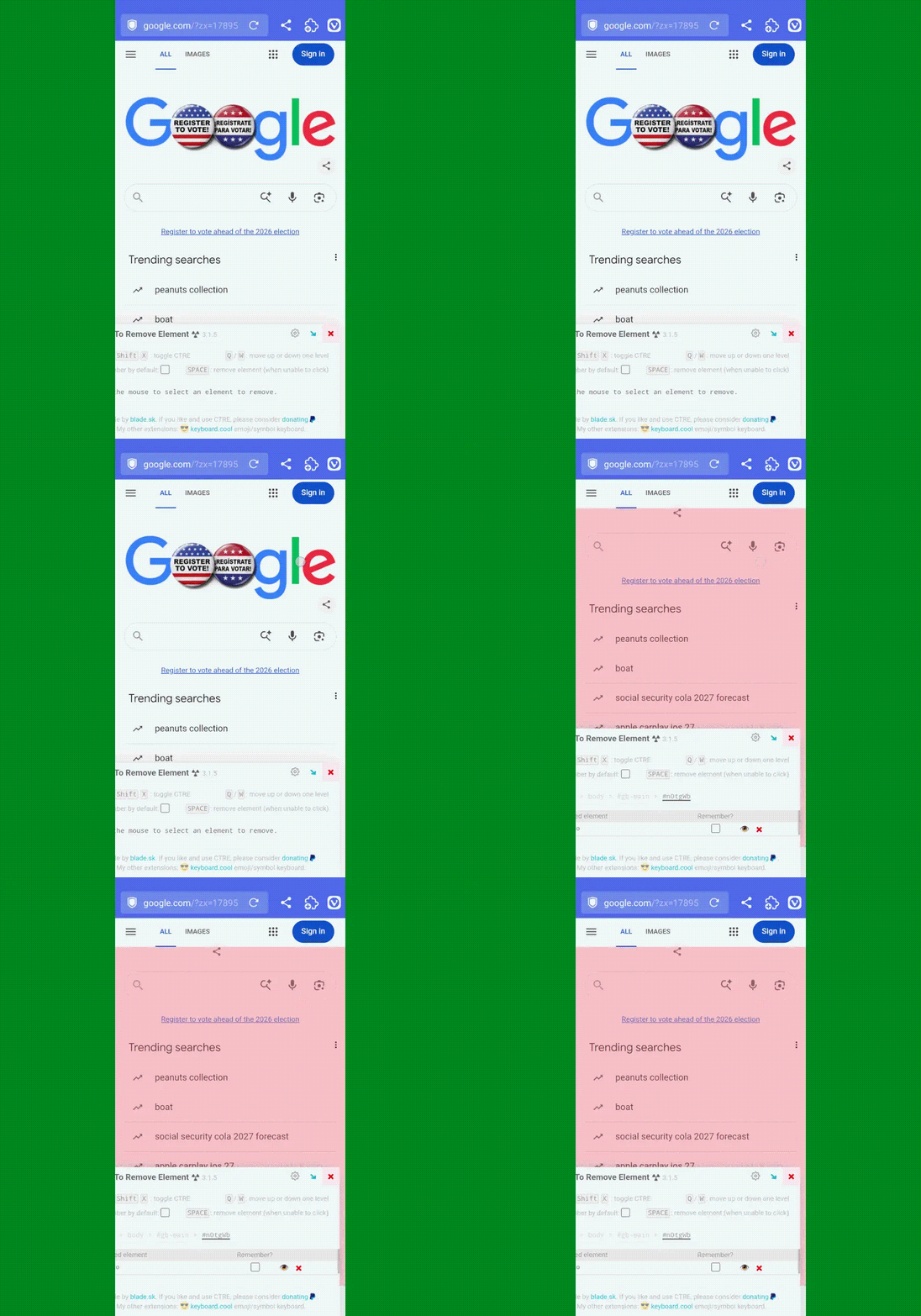
This extension acts as a surgical instrument for your browser. Once installed, it adds an interactive layer to any webpage. By activating the extension and tapping an unwanted element, users can instantly excise it from the DOM.
Implications for Workflow
The real power of Click to Remove Element lies in its persistence. By utilizing the "Remember" feature, the extension saves these modifications to your local browser storage. The next time you visit that specific URL, the site will load in its curated, clean state. This is more than a aesthetic preference; it is a functional necessity for professionals who use web-based dashboards or interfaces where screen space is at a premium.
2. Navigating the Paywall Ecosystem
Digital publishing is in a state of flux. To remain sustainable, many high-quality outlets rely on rigid paywalls. While these models are essential for the survival of journalism, they create friction for the casual reader who may only want to access a single, pertinent article or share a resource with a colleague.
The Tool: Archive Page
Integrating with the Archive Today service, this extension automates the process of capturing a "snapshot" of a webpage. When you encounter a paywall, a single tap triggers the extension to send the URL to the archival service. The service creates a static, public-facing copy of the page that is often readable without a subscription.

Ethical Considerations
It is critical to approach this tool with a nuanced perspective. As an industry, journalism requires financial support to function. Utilizing such tools to bypass paywalls for habitual consumption undermines the very content creators we rely on. However, for the purpose of research, verification, or sharing non-paywalled content that has become inaccessible, Archive Page remains an essential, neutral utility for information access.
3. Mastering the Amazon Marketplace: Price Tracking
E-commerce is a game of timing. Amazon’s pricing algorithms are notoriously volatile, shifting based on demand, inventory levels, and competitor activity. For the average mobile shopper, identifying whether a "deal" is actually a good price is nearly impossible without historical data.
The Tool: Keepa
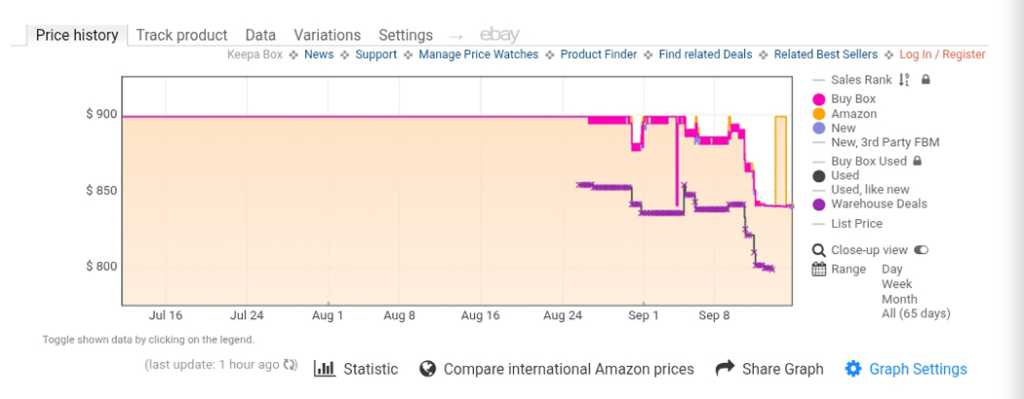
Keepa transforms the Amazon mobile experience by injecting a comprehensive price history chart directly into product pages. Once installed, users simply scroll down to the bottom of an Amazon listing to see the "Price History" graph.
Supporting Data and Trends
By visualizing price fluctuations over the previous 30, 90, or 365 days, Keepa empowers consumers to make data-backed purchasing decisions. The extension also allows users to set "price drop" alerts. When an item hits your target price, the extension notifies you. This eliminates the "fear of missing out" (FOMO) and prevents impulsive purchases at the top of the price curve.
4. Image Management Without the Hassle
One of the most persistent frustrations for Android power users is the inconsistent way mobile browsers handle image downloads. Many sites use modern, web-optimized formats like WebP or AVIF, which may not be compatible with the user’s preferred editing software or social media platform.
The Tool: Save Image As Type
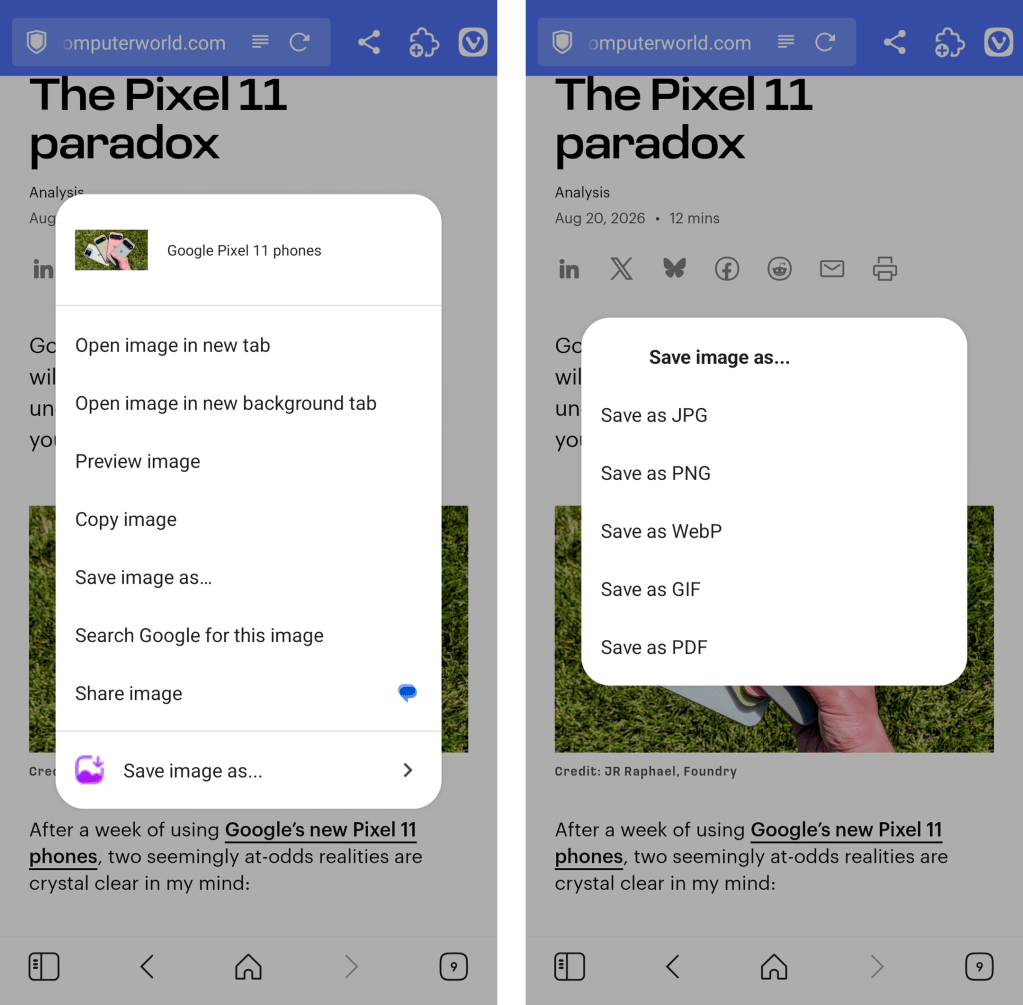
This extension resolves the conversion bottleneck. By adding a context-menu option to the browser’s "long-press" interaction, it allows users to choose the format—JPEG, PNG, or WebP—before the download occurs.
Chronology of the Fix
- Long-press: Trigger the context menu on any image.
- Selection: Choose "Save Image As Type."
- Conversion: The extension handles the server-side or browser-side conversion instantly.
- Result: The file is saved to the local directory in the desired format, skipping the need for third-party converter apps.
5. Modernizing the Wikipedia Experience
Wikipedia is the world’s largest repository of human knowledge, but its interface has remained largely static for decades. While functional, it is not optimized for modern, high-resolution mobile displays or long-form reading.
The Tool: Wikiwand
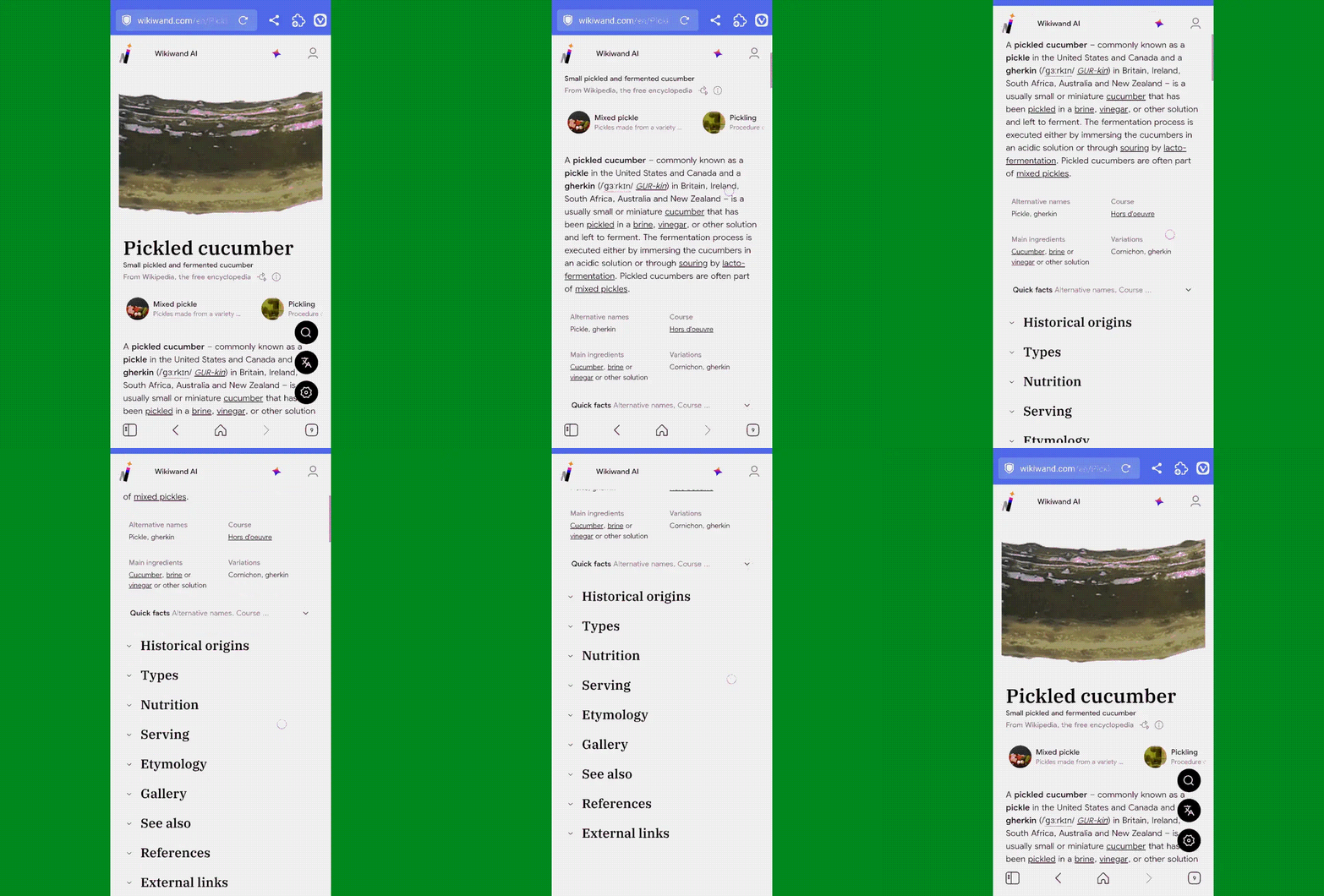
Wikiwand acts as a modern wrapper for Wikipedia, reformatting pages with a clean, typography-focused design. It introduces an improved sidebar navigation, better image galleries, and a more intuitive layout for references and footnotes.
Implications for Knowledge Retrieval
For researchers and students, the visual fatigue associated with long-form reading is a significant barrier to learning. By optimizing the presentation of data, Wikiwand encourages longer, more focused reading sessions. The extension maintains the integrity of the original text while elevating the delivery, proving that user experience design is just as important as the information itself.
The Future of Mobile Browsing
The adoption of these extensions highlights a broader trend: the convergence of mobile and desktop functionality. As browser engines like Chromium become more capable, the artificial limitations placed on mobile users are falling away.
Official Perspectives and Security
While these tools offer immense utility, users must exercise caution. Installing extensions from the Chrome Web Store onto an Android browser requires granting specific permissions to those extensions. Users should only install extensions from reputable developers and periodically review their installed extensions to ensure they are still necessary and updated.
Browser developers, particularly those like Vivaldi, have paved the way for this by prioritizing an open, flexible architecture. By allowing the installation of third-party extensions, they have acknowledged that "one size does not fit all" in the world of mobile browsing.
Conclusion: Take Control of Your Screen
The mobile web should be a tool that serves the user, not a rigid environment that dictates the experience. By integrating these five extensions, you are not just customizing your browser; you are optimizing your digital life.
Whether you are eliminating distractions with Click to Remove Element, making informed purchases with Keepa, or streamlining your research with Wikiwand, the power to define your mobile experience is now firmly in your hands. In an era where we spend more time than ever on our devices, the small optimizations—the removal of a pop-up, the saving of a correctly formatted image, the clarity of a price graph—accumulate into a vastly superior, more productive, and more enjoyable digital existence.
The next time you find yourself frustrated by a website on your phone, remember: you no longer have to live with the default. You have the tools to change it.