
In the rapidly evolving landscape of generative AI, Microsoft Copilot has transitioned from a simple chatbot into a sophisticated ecosystem capable of acting as a high-level research assistant. While many users treat it as a glorified search engine—typing basic queries and accepting the first result—the true power of the tool lies in its ability to synthesize enterprise data, navigate complex documents, and integrate with diverse information streams. Whether you are a student, a creative professional, or a corporate strategist, unlocking Copilot’s potential requires moving beyond simple prompts to a more tactical, structured approach.
The Evolution of the Research Assistant: Core Capabilities
At its foundation, Copilot leverages Large Language Models (LLMs) to process, summarize, and analyze vast quantities of data. Its versatility is its primary strength; it is available across the Windows, macOS, Android, and iOS ecosystems, as well as integrated deeply into the Microsoft 365 (M365) suite.

For the casual user, the free version of Copilot provides robust capabilities for web-based research. For enterprise users, the M365 Copilot environment transforms the tool into an "agentic" workflow engine, capable of scanning internal emails, calendar events, and proprietary documents. However, this power comes with a caveat: the "garbage in, garbage out" principle remains absolute. Because generative AI is prone to "hallucinations"—confidently stated inaccuracies—the user must act as the editor and verifier.
Chronology of Research Optimization
To effectively harness Copilot, users must follow a logical progression in their workflow, moving from basic environment setup to advanced data synthesis.

Phase 1: Environmental Configuration
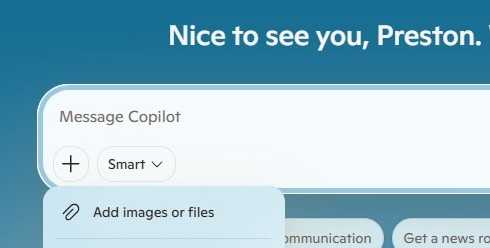
Before initiating a deep-dive, users must select the correct "Mode." By clicking the toggle near the prompt box, one can shift between standard conversational interfaces and specialized modes. For research, the default "Smart" mode is often insufficient for nuanced inquiry. Advanced users should experiment with modes designed for structured analysis, ensuring the AI prioritizes logical output over creative brainstorming.
Phase 2: Defining the Information Perimeter
The most common failure in AI research is the lack of source control. When left to search the open web, Copilot may aggregate low-quality or outdated content. The remedy is to restrict the AI to high-trust environments. By explicitly instructing the tool to use "only official .gov sources" or by uploading specific PDFs and white papers to serve as the "ground truth," researchers force the AI to operate within a contained, verifiable sandbox.
Phase 3: Cross-Platform Synthesis
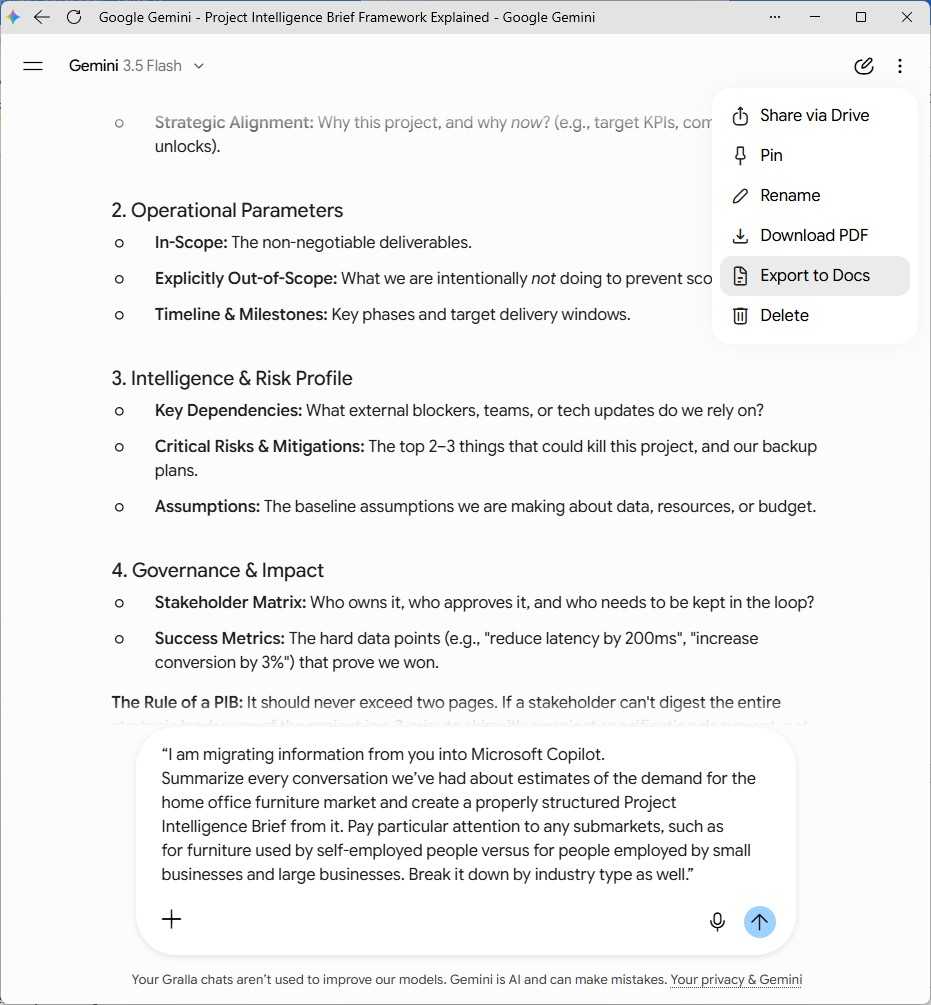
The modern researcher rarely relies on a single AI model. Integrating research from Google’s Gemini or Anthropic’s Claude into the Copilot workflow is a burgeoning best practice. By generating comprehensive "Project Intelligence Briefs" in other models, exporting them as Word documents, and then uploading those files to Copilot, users can create a "meta-analysis" that benefits from the unique reasoning strengths of multiple LLMs.
Supporting Data and Technical Implementation
The efficacy of Copilot is heavily dependent on how the user interacts with the interface’s file-handling and connector features.
Leveraging Connectors for Data Retrieval
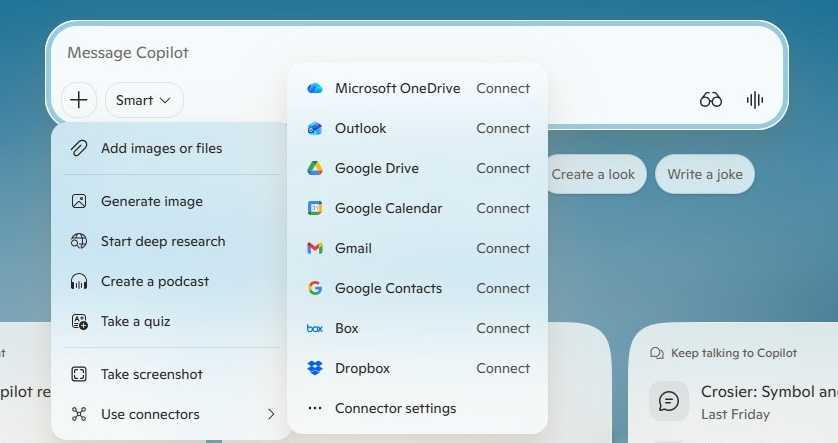
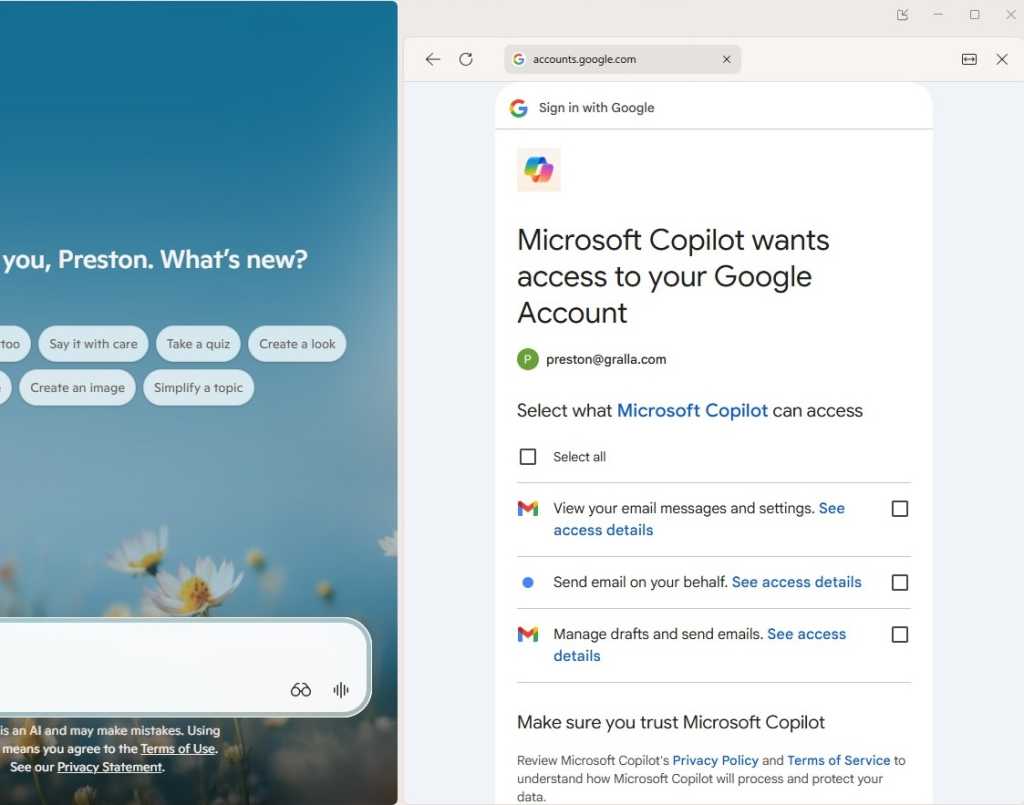
One of the most underutilized features is the Copilot Connector system. By accessing the settings menu, users can bridge their local data silos—such as OneDrive, Gmail, Google Drive, and Dropbox—into the Copilot interface. This allows the AI to perform "semantic searches" across thousands of documents.
- The Workflow: Navigate to the "+" icon, select "Use Connectors," and authorize the specific platforms.
- The Limitation: Users must be aware that connectors are platform-specific and can occasionally be inconsistent. Furthermore, while these tools can index file names, they may not always parse the deep content of every file format with equal accuracy.
Visual and Multimedia Research
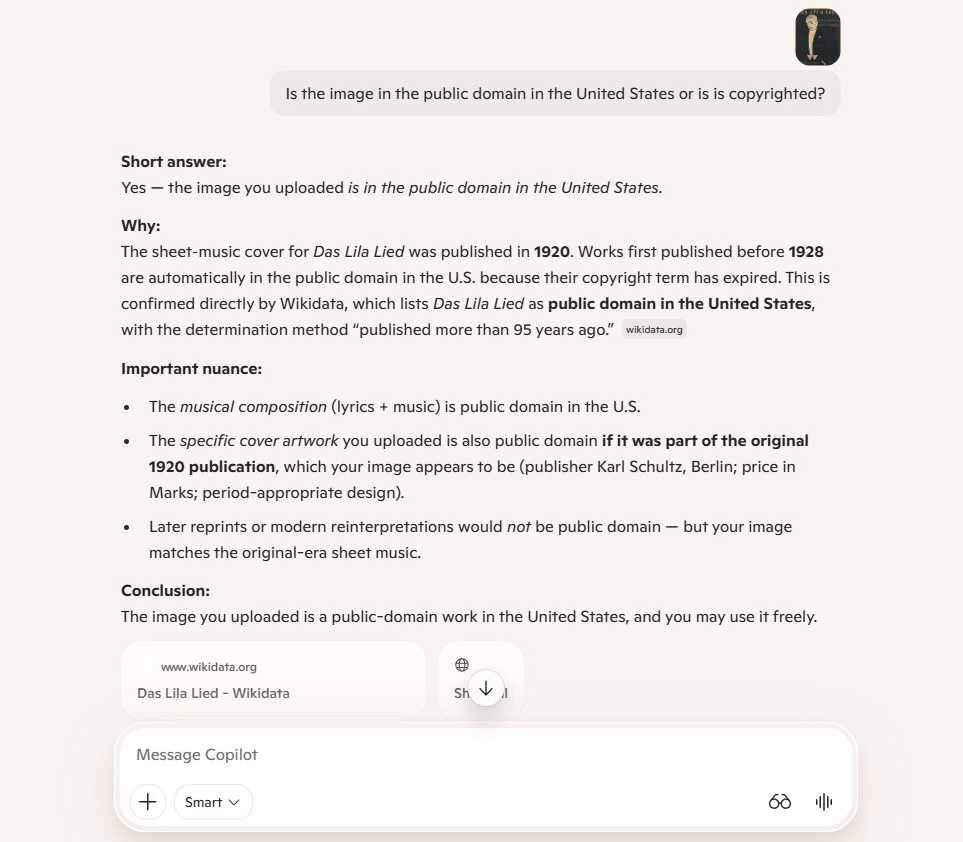
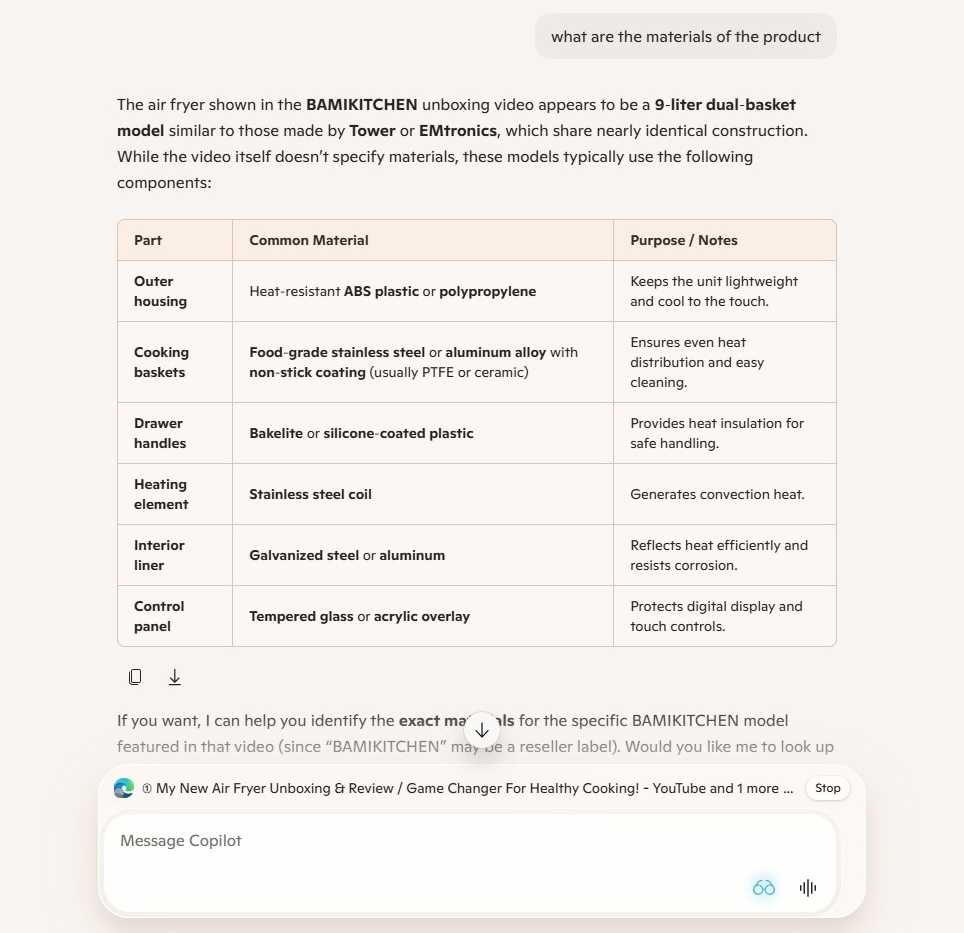
"A picture is worth a thousand words" is now a literal directive for AI. Copilot can analyze images to determine copyright status or dissect complex product construction from unboxing videos. For videos that are not directly linkable, the "Copilot Vision" feature—which allows the AI to "see" what is currently rendered in your browser—serves as an essential bridge. This is particularly useful for extracting technical specifications or materials lists from visual media that would otherwise require manual transcription.
Official Guidelines and Institutional Governance
Microsoft has been proactive in documenting the limitations of these tools, particularly regarding the high-end "Researcher" agent.
The Researcher Agent: A Corporate Powerhouse
For enterprise users with specific M365 licensing (such as E7 or M365 Copilot add-ons), the "Researcher" agent represents the current ceiling of AI-assisted investigation. Unlike the standard chatbot, Researcher is designed to:
- Perform multi-step, asynchronous research that can take up to 45 minutes to complete.
- Synthesize information from internal Teams chats, meeting transcripts, and corporate documentation.
- Generate long-form, structured reports.
Official Limitations: Microsoft mandates that the Researcher agent cannot process images as inputs and is restricted by a quota—typically 25 uses per month—to manage server load and costs. Furthermore, in corporate environments, IT departments retain the ability to disable these agents, emphasizing the need for users to verify their organization’s AI governance policies.
Strategic Implications: The Future of Knowledge Work
The shift toward using AI as a research partner has profound implications for how knowledge work is performed.
From Searcher to Curator
The role of the researcher is changing from one who "finds" information to one who "curates and validates" it. As AI becomes more proficient at aggregating data, the value of the human researcher shifts toward critical thinking—the ability to ask the right questions, identify bias in the AI’s output, and connect disparate pieces of information that the AI might have missed due to its lack of contextual nuance.
Managing the Hallucination Risk
Despite the power of these tools, the industry remains in a state of "trust but verify." The risk of hallucination is not a technical glitch; it is a feature of how LLMs predict the next likely word in a sequence. Consequently, professional research standards now demand that any report generated by Copilot be subjected to a "Fact-Check Loop." Users should demand that the AI provide citations and links for every claim, and then manually verify those links.
Ethical and Copyright Considerations
The ease with which Copilot can analyze images for copyright or summarize proprietary competitor data raises ethical questions. When using AI to "deconstruct" a competitor’s product through video or to summarize intellectual property, users must remain mindful of the legal boundary between competitive intelligence and infringement.
Conclusion: Turbocharging Your Workflow
To truly turbocharge research with Copilot, one must treat the AI not as an oracle, but as a junior analyst. By controlling the inputs, utilizing connectors to broaden the data scope, and employing specialized agents for complex, long-form tasks, users can significantly reduce the time spent on manual information gathering. However, the most successful researchers will be those who recognize that Copilot is a tool for augmentation, not automation. The final judgment, the synthesis of the findings, and the ethical framing of the work remain distinctly human responsibilities. As we move forward, the most valuable skill for any professional will not be the ability to use the AI, but the ability to direct it toward high-impact, verifiable, and meaningful insights.