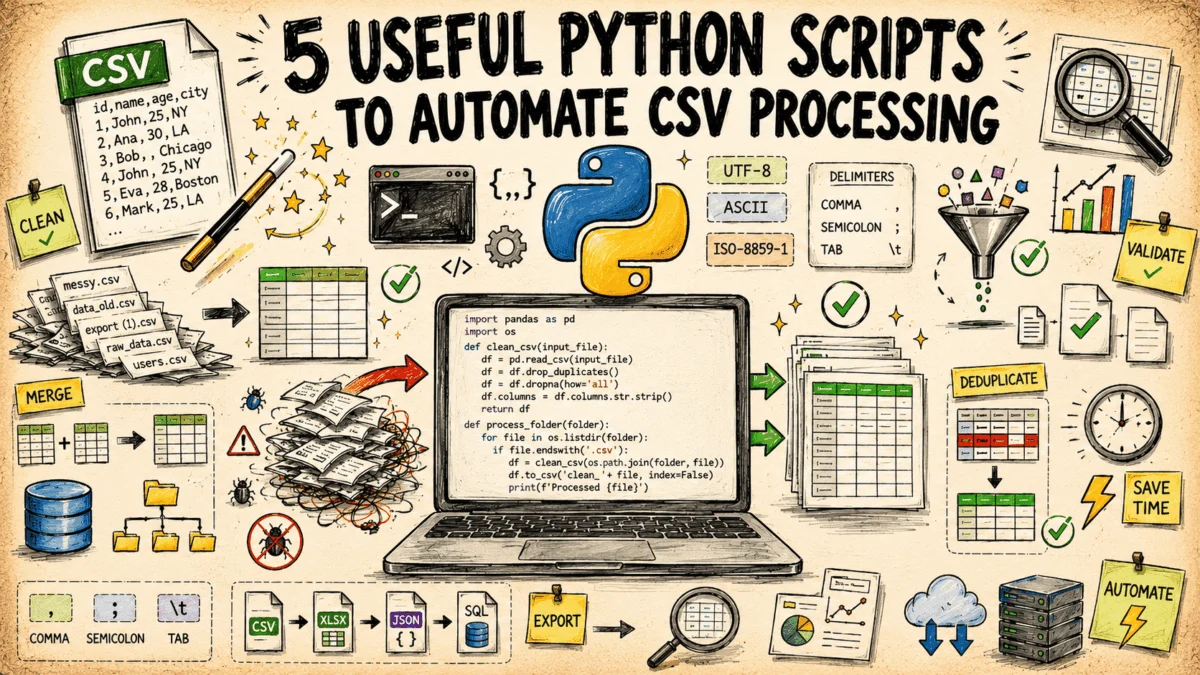
In the modern data landscape, the humble Comma-Separated Values (CSV) file remains the universal lingua franca of information exchange. From legacy database exports and routine batch jobs to cloud-native application logs, the .csv file is the backbone of data interoperability. However, despite its simplicity, the format is notorious for being a source of significant "data friction." Inconsistent delimiters, mangled character encodings, unexpected schema deviations, and duplicate entries turn routine data ingestion into a tedious, manual ordeal.
For many data engineers and analysts, the solution to these recurring headaches has historically been to build bespoke, one-off scripts that are rarely maintained and often break under pressure. To address this, developer and technical writer Bala Priya C has released a suite of five self-contained, standard-library Python scripts designed to streamline these repetitive tasks. These tools require no third-party dependencies, ensuring they can be dropped into any environment—from local workstations to restricted server pipelines—with ease.
1. The Anatomy of Data Friction
Data workflows rarely run as smoothly as theoretical models suggest. When a CSV file arrives for processing, it often carries "baggage" from its origin system. Database exports may include hidden nulls; legacy systems might use semicolon delimiters instead of commas; and encoding issues can render characters unreadable.
These problems are rarely discovered during initial inspection. They usually surface far downstream, in the analytics dashboard or the machine learning pipeline, where the cost of remediation is highest. By implementing automated validation and normalization scripts at the point of ingestion, teams can prevent "bad data" from propagating through their architecture, saving hours of debugging time.
2. Five Critical Scripts: A Technical Deep Dive
The following tools, available on GitHub, provide a robust framework for handling the most common CSV-related technical challenges.
A. Schema Validator: The First Line of Defense
A CSV might appear visually correct in a spreadsheet preview while failing the strict requirements of a database or data warehouse. The Schema Validator script solves this by enforcing a JSON-defined schema.
- How it functions: The validator defines required columns, data types (e.g.,
int,float,date), and regex patterns for validation. - Performance: By utilizing
csv.DictReader, the script processes files as a stream rather than loading them into RAM, allowing it to handle massive datasets without hitting memory limits. - Implications: By producing a row-by-row error report, developers can pinpoint exactly where data integrity is compromised, effectively acting as a "gatekeeper" that prevents corrupted data from entering the production pipeline.
B. Row-Level Diff Tool: Auditing Data Evolution
When tracking changes between daily exports or comparing source data against ingested records, manually reviewing spreadsheets is a recipe for error. The Row-Level Diff Tool automates this comparison.
- Mechanism: Users define a "key" column (or a composite key). The script then performs a set-difference operation to identify which records were added, removed, or modified.
- Output: It generates a clean report detailing precisely which field changed, showing both the "old" and "new" values. This is invaluable for auditing and debugging data synchronization issues between disparate systems.
C. Encoding and Delimiter Normalizer: Standardizing Chaos
Data from heterogeneous sources often arrives in a variety of encodings and formats. The Normalizer script detects these variations automatically.
- Technical Approach: Using Python’s
csv.Sniffer, the script inspects the file structure to identify the delimiter (tab, semicolon, pipe, etc.). It simultaneously probes the character encoding to resolve byte-order mark (BOM) issues. - Outcome: The script rewrites the file into a standardized, UTF-8 encoded, comma-separated format, ensuring that downstream systems consume data in a predictable, uniform structure.
D. Configurable Column Transformer: The Power of ETL
Renaming, dropping, reordering, and deriving new columns are the bread and butter of Extract, Transform, Load (ETL) tasks. The Column Transformer automates these operations via a JSON configuration file.
- Safe Execution: Unlike scripts that might rely on
eval()or dangerous code execution, this tool uses a safe, template-based expression syntax. - Scalability: By processing data row-by-row, it maintains a flat memory footprint, allowing users to perform complex data reshaping on files that are significantly larger than the available system memory.
E. Sampler and Field Anonymizer: Privacy-First Development
Sharing production data for troubleshooting or testing presents a major security risk. The Sampler and Field Anonymizer balances the need for realistic test data with the necessity of data privacy.
- The Process: It employs "reservoir sampling" to select a representative, random subset of data. For sensitive fields, it applies a keyed hash, replacing real identifiers with consistent, irreversible placeholders.
- Preserving Logic: Because the hashing is consistent, the relationships between records remain intact, allowing developers to test complex logic without exposing PII (Personally Identifiable Information).
3. Comparative Analysis of Utility
| Script Name | Primary Function | Ideal Deployment |
|---|---|---|
| Schema Validator | Structural Integrity | Pre-ingestion gatekeeper |
| Row-Level Diff | Change Management | Data auditing & reconciliation |
| Normalizer | Formatting Consistency | Legacy data cleanup |
| Transformer | Data Reshaping | Automated ETL pipelines |
| Anonymizer | Data Privacy | Development & QA testing |
4. Chronology of Adoption
The shift toward automated, lightweight scripts reflects a broader trend in data engineering: the move away from heavy, monolithic frameworks toward modular, "Unix-philosophy" inspired tooling.
- Phase 1: Manual Inspection. Traditionally, data teams relied on Excel or manual scripts to clean data. This was inefficient and error-prone.
- Phase 2: Heavy Frameworks. The rise of Pandas and Spark allowed for complex transformations but introduced significant dependency management overhead and high memory requirements.
- Phase 3: Lightweight Automation. The current trend favors standard-library Python scripts that are easy to maintain, require zero installation, and integrate seamlessly into CI/CD pipelines.
5. Implications for Data Teams
The adoption of these standardized scripts offers several distinct advantages for engineering teams:
- Reduced "Toil": By automating the "boring" parts of data work, engineers can focus on higher-value tasks, such as building machine learning models or designing better data architectures.
- Increased Reliability: Because these scripts are version-controlled and repeatable, they eliminate the "it works on my machine" problem, ensuring consistent results across all environments.
- Enhanced Security: The inclusion of an anonymization tool directly within the workflow encourages best practices in data governance, making it easier for teams to comply with regulations like GDPR or CCPA by default.
6. Official Perspective: The Value of Simplicity
Bala Priya C, the author of these scripts, emphasizes that the goal is not to replace robust data processing frameworks like Apache Spark or Pandas, but to provide a "right-sized" solution for the 80% of tasks that don’t require heavy machinery.
"Many developers feel they need to import a massive library just to strip a BOM or change a delimiter," Priya notes. "By leveraging the standard library, we reduce the attack surface, remove dependency hell, and create tools that are truly portable. These scripts are designed to be the ‘Swiss Army Knife’ of the data professional’s toolkit—always there, always ready, and never requiring a complex installation process."
7. Conclusion
In the fast-paced world of data science, the ability to quickly clean, validate, and transform data is a core competency. The suite of scripts provided by Priya serves as a powerful reminder that sometimes the most effective tool is not the most complex one, but the one that is most accessible. Whether you are a data scientist struggling with a messy CSV or a developer looking to automate a tedious ingestion pipeline, these tools provide a reliable, efficient path forward.
By incorporating these scripts into your daily workflow, you can move from reactive data cleaning to proactive data management, ensuring your pipelines remain robust, secure, and—above all—efficient. For those interested in adopting these tools, the full repository is available for community use and improvement on GitHub, inviting further collaboration and optimization from the broader developer ecosystem.