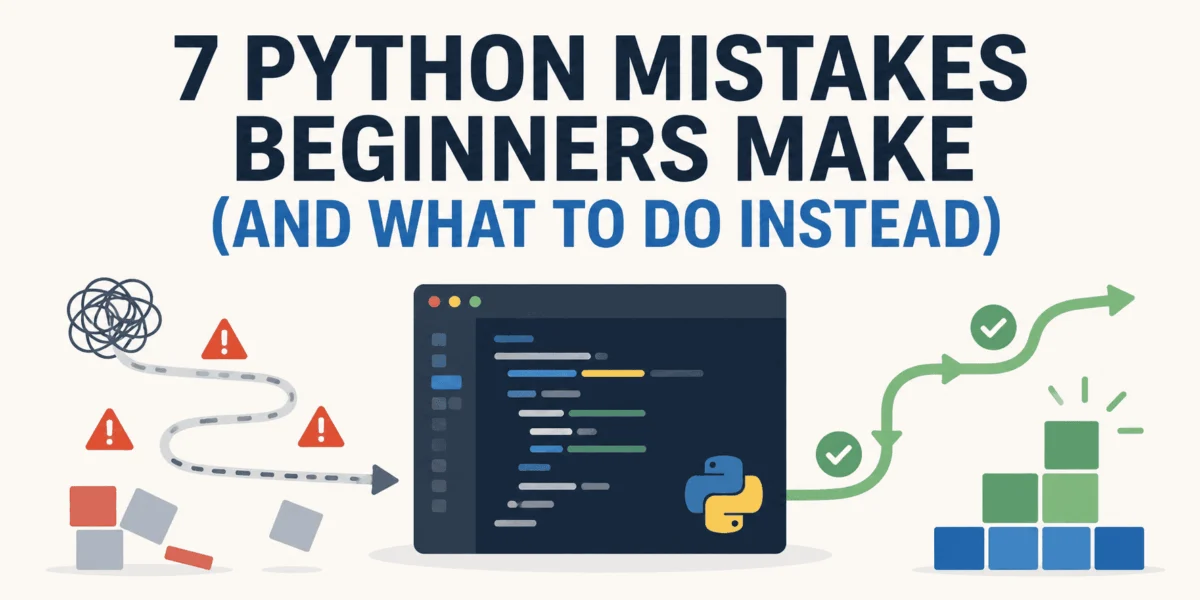
For the uninitiated, Python is often heralded as the "executable pseudocode" of the programming world. Its readability and elegant syntax invite beginners to build sophisticated applications with remarkable speed. However, beneath this veneer of simplicity lies a series of logical traps. Unlike syntax errors, which trigger immediate, helpful tracebacks, these "silent saboteurs" allow a program to continue running while producing corrupted, incomplete, or entirely incorrect results.
These bugs are rarely the result of a malfunctioning language interpreter. Instead, they represent a fundamental disconnect between the developer’s assumptions and the machine’s execution. When a script that worked perfectly yesterday suddenly fails to locate a function, or when a list of records mysteriously shrinks during processing, the culprit is almost always a hidden expectation that the Python runtime was never asked to validate.
The Anatomy of Silent Failures
In professional software engineering, the most expensive bugs are not the ones that crash a system, but the ones that allow it to remain operational while silently degrading data integrity. The following seven pitfalls represent the most frequent "beginner-to-intermediate" gaps in understanding that turn productive afternoons into troubleshooting nightmares.
1. The Environment Dissonance: The "Pip" Paradox
The quintessential rite of passage for every Python developer involves installing a library, seeing a success message, and then encountering a ModuleNotFoundError the moment they attempt to run their code.
The Hidden Cause: This is rarely an issue with the package manager. It is a symptom of "Environment Dissonance." Modern machines often host multiple versions of Python (e.g., 3.8, 3.10, and 3.12). Each virtual environment acts as a silo with its own interpreter and package directory. When a user runs pip install in the global terminal, they are often installing the library for a version of Python different from the one defined in their project’s IDE or execution path.
The Professional Fix: Never rely on the system-wide pip. Adopt the practice of explicit environment management. By using python -m venv .venv, you force the installation into the specific interpreter associated with your project. If you are ever unsure, a simple print(sys.executable) inside your failing script will reveal the exact path of the interpreter currently in control, allowing you to reconcile it with your pip installation path.
2. Namespace Hijacking: The Shadowing Trap
It is a common habit for developers to name a test file after a standard library module, such as json.py, random.py, or pandas.py.
The Hidden Cause: Python’s module resolution order is rigid. When an import statement is executed, the interpreter looks in the current directory before checking the standard library. If your file is named json.py, Python will attempt to import your local, likely incomplete file instead of the actual standard library module.
The Fix: Rename your scripts to avoid naming collisions with standard libraries or third-party packages. If you suspect an import is being hijacked, use the module.__file__ attribute to print the source location. If the output points to your local project folder rather than your Python installation directory, you have found your culprit.
3. The Type-Safety Illusion
Python’s dynamic typing is a double-edged sword. While it allows for rapid prototyping, it can lead to dangerous runtime behavior, particularly when interacting with external inputs.
The Hidden Cause: The input() function in Python 3 returns a string regardless of what the user types. A common failure occurs when a developer writes age = input("Enter age: ") + 1. Because the input is a string, Python throws a TypeError. However, more insidious issues occur with comparisons like "9" > "10", which evaluate to True in string comparison logic, potentially triggering silent logical failures in conditional statements.
The Fix: Always enforce type boundaries at the point of entry. Use explicit casting (e.g., int(), float()) wrapped in try-except blocks to handle malformed user input gracefully.
4. Exception Erasure: The "Pass" Crime
Perhaps the most destructive practice in software development is the "swallow-all" exception block:
try:
    execute_process()
except Exception:
    pass
The Hidden Cause: By using except Exception: pass, the developer is effectively blinding the program. If execute_process() fails on the 4,000th iteration of a loop, the program will silently skip the error and continue, leaving the developer with no log, no traceback, and a data set that is incomplete.
The Professional Fix: Log the specific error and re-raise it, or handle specific exceptions (e.g., ValueError, KeyError) rather than catching the generic Exception base class. Silence should never be the default recovery strategy.
5. Iteration Mutation: The Moving Target
Modifying a collection while iterating over it is a classic logical trap. If you remove an item from a list while looping through it, the index shifts, causing the iterator to skip the item immediately following the one just removed.
The Hidden Cause: Python’s loop index keeps marching forward, but the underlying list has shrunk. This causes the loop to "skip" elements, leading to incomplete data processing without any warning or error.
The Fix: Never modify a collection in-place while iterating over it. Instead, iterate over a copy of the collection using .copy() or use a list comprehension to create a new collection that satisfies your criteria.
6. The "None" Assignment Trap
Many beginners are caught off guard by the fact that methods like list.sort() and list.reverse() operate in-place and return None.
The Hidden Cause: A developer writes my_list = my_list.sort(). Because sort() modifies the list in place and returns None, the original list is effectively overwritten with a None value. Any subsequent attempt to iterate over my_list will result in a TypeError: 'NoneType' object is not iterable.
The Fix: If you need a sorted list, use the sorted(my_list) function, which returns a new list and leaves the original intact. If you must use .sort(), perform the action on its own line and do not assign the result.
7. The Zip-Strictness Gap
The zip() function is a powerful tool for pairing iterables, but its default behavior can lead to silent data loss.
The Hidden Cause: If you provide two lists of different lengths to zip(), it will stop at the shortest list and silently discard the extra elements of the longer list. In data science applications—where one list might be "labels" and the other "predictions"—this can lead to perfectly running code that produces inaccurate, misaligned results.
The Fix: Since Python 3.10, developers can use zip(a, b, strict=True). This will raise a ValueError if the iterables are not of equal length, ensuring that your data integrity remains intact throughout the execution.
Implications for Modern Development
The prevalence of these issues highlights a critical shift in how we should approach Python education. Rather than focusing solely on syntax, modern developers must cultivate a "diagnostic mindset."
When a program behaves unexpectedly, the professional response is not to rewrite the logic, but to interrogate the state of the machine. By checking sys.executable, validating input types at the boundary, and refusing to suppress errors, developers can create more robust and maintainable codebases.
In the long term, these practices transform a "beginner" into a "practitioner." The goal is not to avoid all bugs—which is impossible—but to ensure that when they do occur, they are loud, visible, and easy to resolve. By treating the Python interpreter as a partner in validation rather than a black box, developers can prevent the "silent saboteurs" from undermining their work, ensuring that their code does exactly what they intended it to do.