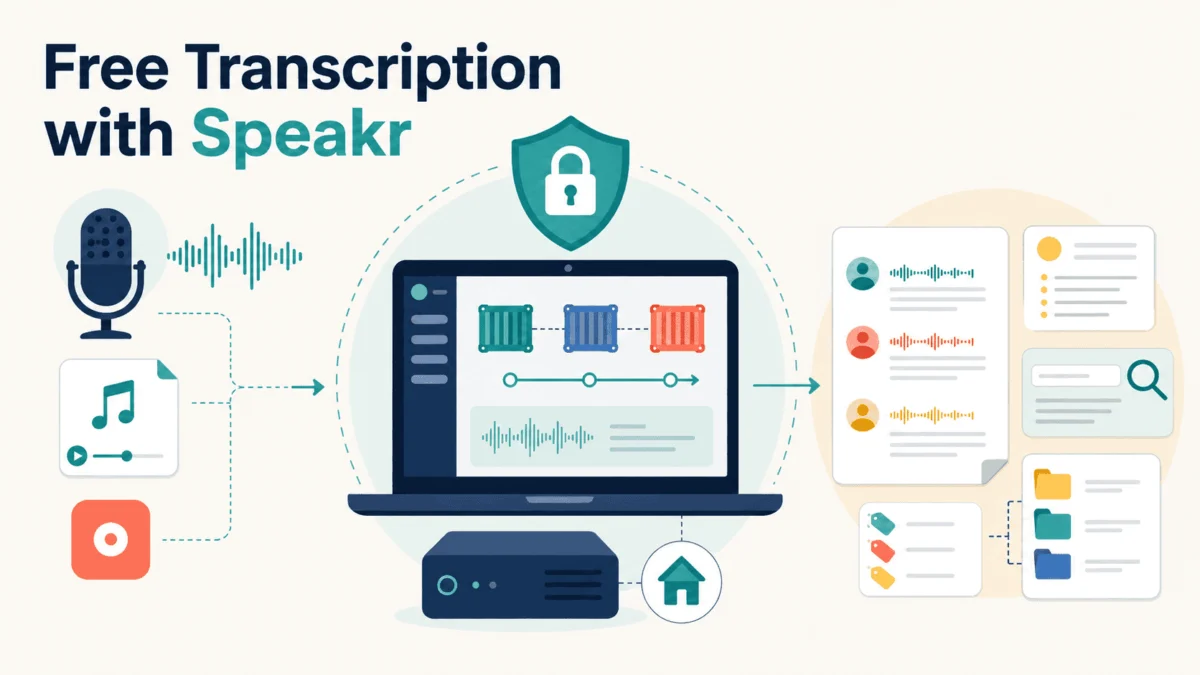
Transcribing meetings, interviews, and voice notes has long been a binary choice: either pay a recurring monthly subscription to a third-party SaaS provider or resign yourself to the grueling, manual labor of transcribing audio by hand. However, a third path is rapidly gaining traction among data scientists, researchers, and privacy-conscious professionals. By leveraging open-source frameworks, these power users are reclaiming control over their data by running their own transcription stacks directly on their own hardware.
At the center of this movement is Speakr, a free, open-source, self-hosted platform developed by Murtaza Nasir. Speakr transforms raw audio into organized, searchable, and AI-summarized notes, effectively mirroring the capabilities of commercial giants like Otter.ai—but without the server-side privacy risks or rigid subscription models.
Main Facts: The Speakr Ecosystem
Speakr is not merely a transcription tool; it is a sophisticated, modular platform designed for local deployment. By utilizing Docker, the application provides a containerized environment that runs seamlessly across Linux, macOS, and Windows. Its architecture is built on a "connector" model, allowing users to swap between various transcription backends depending on their specific needs for privacy, cost, and accuracy.
The project has seen a meteoric rise in popularity, amassing over 3,700 GitHub stars and hundreds of forks as of mid-2026. This growth is driven by a clear value proposition: users gain access to industry-standard speech-to-text technology—including the powerful OpenAI Whisper model family—without being forced to host their sensitive data on external corporate servers.
Chronology: From Concept to Professional Workflow
For those looking to adopt Speakr, the journey from installation to a high-efficiency workflow typically follows a seven-step progression:
- Conceptual Alignment: Understanding that Speakr is a multi-backend platform. Unlike single-engine tools, Speakr allows you to utilize OpenAI Whisper, Deepgram, or AssemblyAI, ensuring accuracy remains on par with, or superior to, commercial alternatives.
- Environmental Setup: Deploying the platform via Docker. Users move from basic container installation to configuring environment variables, establishing secure admin credentials, and initiating the primary service.
- Backend Selection: Determining the infrastructure strategy. This is where users decide between the convenience of cloud APIs or the total privacy of self-hosted WhisperX.
- Data Ingestion: Utilizing the interface’s diverse capture methods, ranging from in-browser microphone recording to automated "watched folders" for batch processing.
- Organizational Architecture: Implementing folders, tags, and AI-driven retention policies to ensure the library remains navigable.
- Collaborative Integration: Leveraging multi-user support, REST APIs, and webhooks to connect Speakr to external project management tools.
- Advanced Optimization: Fine-tuning the system with custom vocabularies, S3-compatible storage, and automated exports to knowledge-management platforms like Obsidian.
Supporting Data: The Economics of Self-Hosting
The financial implications of switching to a self-hosted stack are nuanced. Speakr itself is entirely free, but the "cost" is defined by your choice of backend.
| Backend | Setup Complexity | Cost Profile | Diarization | Voice Profiles |
|---|---|---|---|---|
| OpenAI Transcribe | Low (API Key) | Pay-per-use | Yes | No |
| WhisperX (Self) | High (GPU req.) | Free (Hardware) | Best | Yes |
| AssemblyAI | Low (API Key) | Pay-per-use | Yes | No |
| Deepgram | Low (API Key) | Pay-per-use | Yes | No |
The most significant trade-off involves the WhisperX ASR Service. While it requires a dedicated Nvidia GPU with at least 6 to 8 GB of VRAM, it is the only configuration that eliminates ongoing API costs entirely. For researchers processing hundreds of hours of audio, the initial hardware investment is quickly offset by the elimination of per-minute billing.
Official Perspectives and Technical Implications
The shift toward self-hosting is largely driven by the professional requirement for data sovereignty. In environments covered by Non-Disclosure Agreements (NDAs) or strict data protection regulations, uploading audio to a third-party cloud is often a non-starter. Speakr addresses this by keeping audio on the user’s local machine or a private server.
Technical Deep Dive: WhisperX and Voice Profiles
One of Speakr’s most advanced features is its integration with WhisperX to support voice profiles. By extracting speaker embeddings—vector representations of an individual’s unique vocal characteristics—the system can identify the same person across disparate recordings. This transforms the transcript from a generic wall of text into an intelligently labeled dialogue, saving users hours of manual speaker correction.
Automation and Integration
The platform’s extensibility is highlighted by its webhook capabilities. Developers can configure Speakr to fire a trigger upon the completion of a transcription. For example, an n8n or Zapier workflow could automatically ingest a completed meeting summary, parse it for action items, and create corresponding tasks in Trello, Asana, or Jira. This "agentic" approach to transcription moves the tool from a passive recorder to an active participant in a professional’s productivity stack.
Implications for Professionals
For data scientists and machine learning engineers, Speakr is more than a utility; it is a masterclass in modern AI architecture. It demonstrates how to combine modular inference engines, RESTful APIs, and semantic search layers into a cohesive, user-friendly interface.
The Security Imperative
As with any self-hosted, network-accessible tool, security is paramount. The developer has been diligent in patching vulnerabilities, including fixes for stored cross-site scripting and FFmpeg-related security flaws (such as CVE-2026-8461). Users managing team deployments are strongly advised to maintain current versions, particularly because Speakr is designed to handle untrusted audio file uploads in multi-user environments.
The Learning Curve
While Speakr is highly capable, it is not "plug-and-play" in the same vein as a consumer app. The requirement for basic Docker proficiency means that new users should anticipate a learning phase. However, the return on investment—both in terms of cost savings and, more importantly, data privacy—is significant.
As Vinod Chugani, an AI and data science educator, notes, the bridge between emerging AI technologies and practical application is built through these types of modular, self-hosted frameworks. By understanding the components of the stack, professionals can move beyond simply "using" software to "orchestrating" their own AI infrastructure.
Conclusion: Is Speakr Right for You?
Speakr occupies a unique niche. It is not a stripped-down version of a paid product; it is a fully-featured, professional-grade tool that prioritizes transparency and control.
If your transcription volume is low and your privacy requirements are minimal, a standard cloud-based service may still be sufficient. However, for those who handle sensitive data, require high-accuracy speaker identification, or wish to integrate audio processing into a custom automation pipeline, Speakr is a transformative tool.
To begin, start with the Docker quick-start guide, process a handful of sample recordings, and experiment with the different backends. Once you witness the power of a local, AI-driven transcription engine that you fully control, it becomes difficult to justify the constraints of the traditional cloud-based subscription model. By investing the time to master the setup, you are not just saving on monthly fees—you are ensuring your data remains yours, under your terms, and on your terms.
Quick Start Checklist for New Users:
- Verify Hardware: Ensure your machine meets the requirements (especially for WhisperX/GPU usage).
- Secure the Deployment: Never use the default
admin/changemecredentials. - Map Your Workflow: Determine whether you need real-time browser recording or batch-folder processing.
- Define Tags: Use Speakr’s tagging system to automate prompt-based summaries tailored to specific meeting types (e.g., "Research," "Sales," "Standup").
- Stay Updated: Monitor the official GitHub repository for patches to ensure your self-hosted instance remains secure.